Easy on the eyes
Light and dark themes, a 12- or 24-hour clock, and nothing on screen that you did not put there.
 TimeMachine
See what time it is for everyone at a glance. Drag to find the hour that works for all of you.
iPhoneAndroidMacWeb
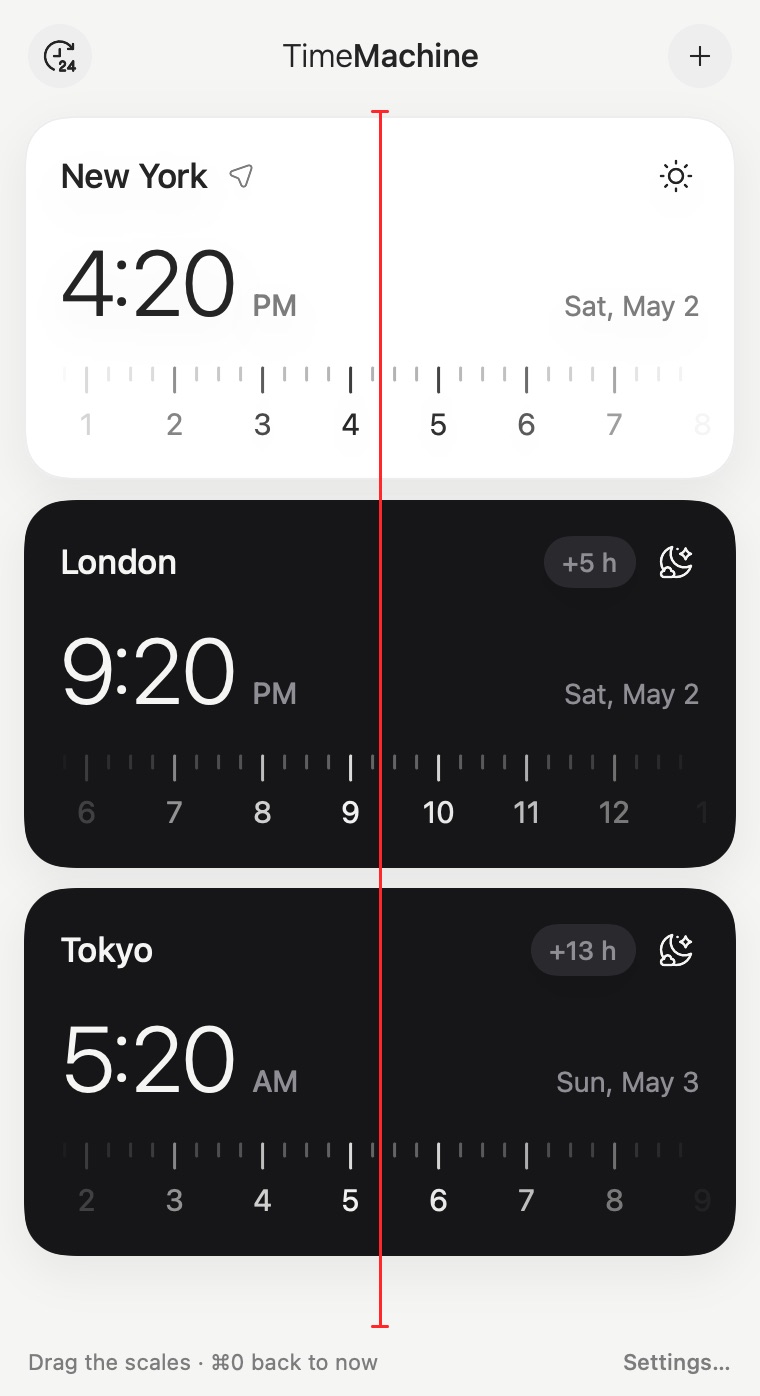
TimeMachine is a world clock and time zone converter built around one idea: every city is a scale of hours, and all the scales share one line. That line is now. Drag any scale and the others follow, so converting a time between time zones, or finding a meeting time for people in different countries, takes one movement instead of arithmetic.
Drag a scale to travel in time
Light and dark themes, a 12- or 24-hour clock, and nothing on screen that you did not put there.
Pull any scale and every city moves with it. Find the hour that works in New York, London and Tokyo without doing the sums.
Drag to any moment and tap Remind: the reminder comes with your note and the time of that moment in every city on your list.
See where your people are and, if they choose to share it, when they are busy — only “busy from–to”, never what the meeting is. Inviting one friend is free, and so is accepting any invite; more friends come with Premium.
Search by city or time zone, in your language. The database is inside the app — nothing to download.
With Premium, keep separate sets of cities and switch between them with one tap. Your own place stays on top of every list, and the red line is shared: drag once, compare everywhere.
The time in your cities sits next to the Mac’s clock. Click it — all your scales open right under it, the same red line as on your phone.
$0
$0.99 / month
or $9.99 / year Save 16%
14-day free trial. Prices in US dollars; your store shows the price in your currency.
Didn’t find your answer?
SupportAdd the cities of everyone who needs to be there and drag any scale. All cities move together, so you can stop where the hour is reasonable for each of them — for example 9 in the morning in New York, 2 in the afternoon in London and 10 in the evening in Tokyo.
Every city shows its difference to your own time next to its name: “+6 h”, “−13 h”, or “+5:45” where the offset is not a whole hour. The difference is worked out for the moment on screen, so it stays right when daylight saving time starts or ends in one of the places.
Yes. Countries change their clocks on different days, and some never do. TimeMachine uses the time zone database of your device, and the scales show the skipped or repeated hour on the very day of the change.
All of them, including the uneven ones: India (+5:30), Nepal (+5:45), Newfoundland (−3:30), parts of Australia (+9:30, +10:30) and the Chatham Islands (+12:45).
Yes. The web clock on this site shows your own time next to four random cities on the same draggable scales. Choosing your own cities, lists and friends are in the app.
The app is free with up to three cities — your own place and two more — and one friend you invite. Premium — unlimited cities, lists and as many friends as you like — is 0.99 USD a month or 9.99 USD a year, with a 14-day free trial. Accepting a friend’s invite never needs Premium.